
Reserve a CCPL Telehealth Booth
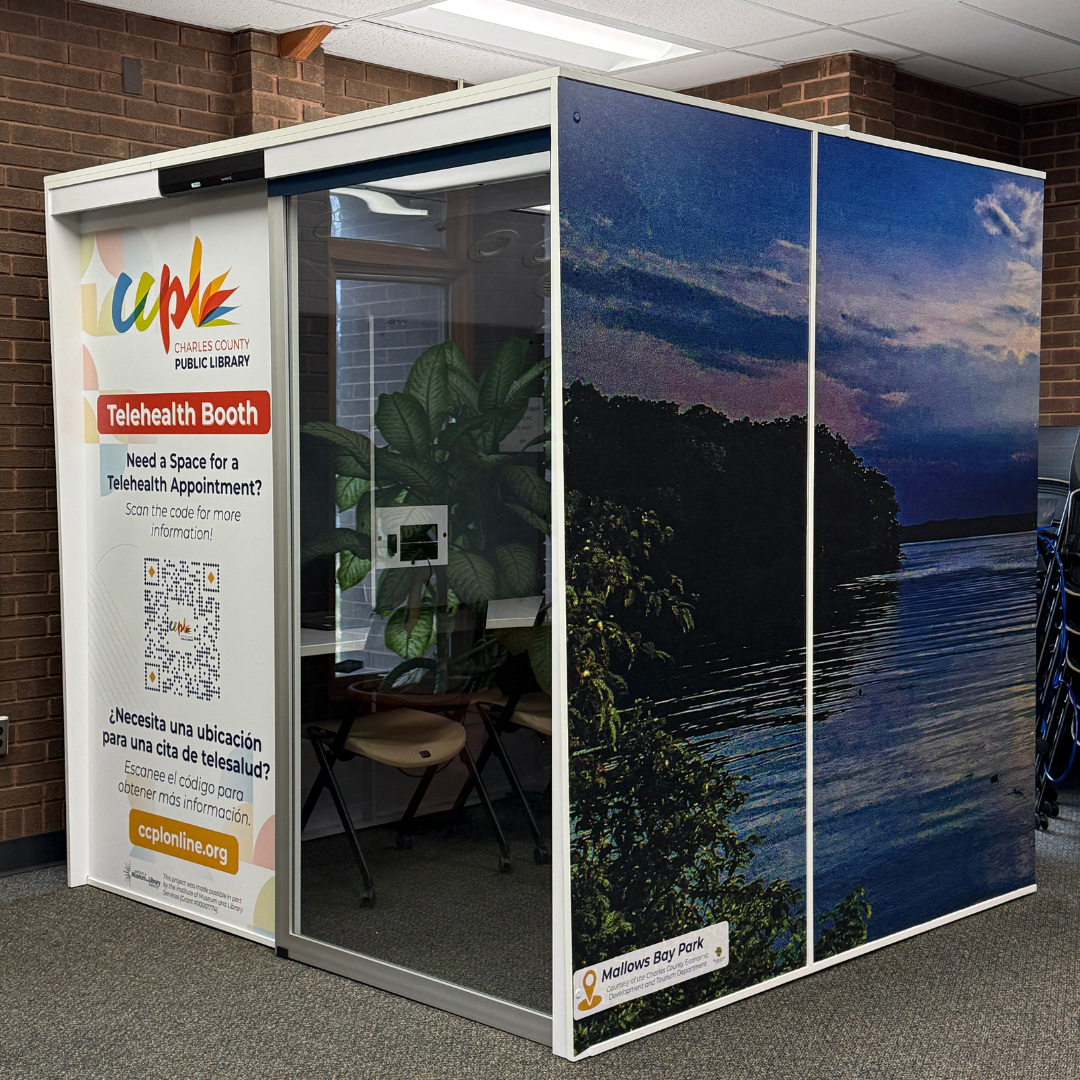
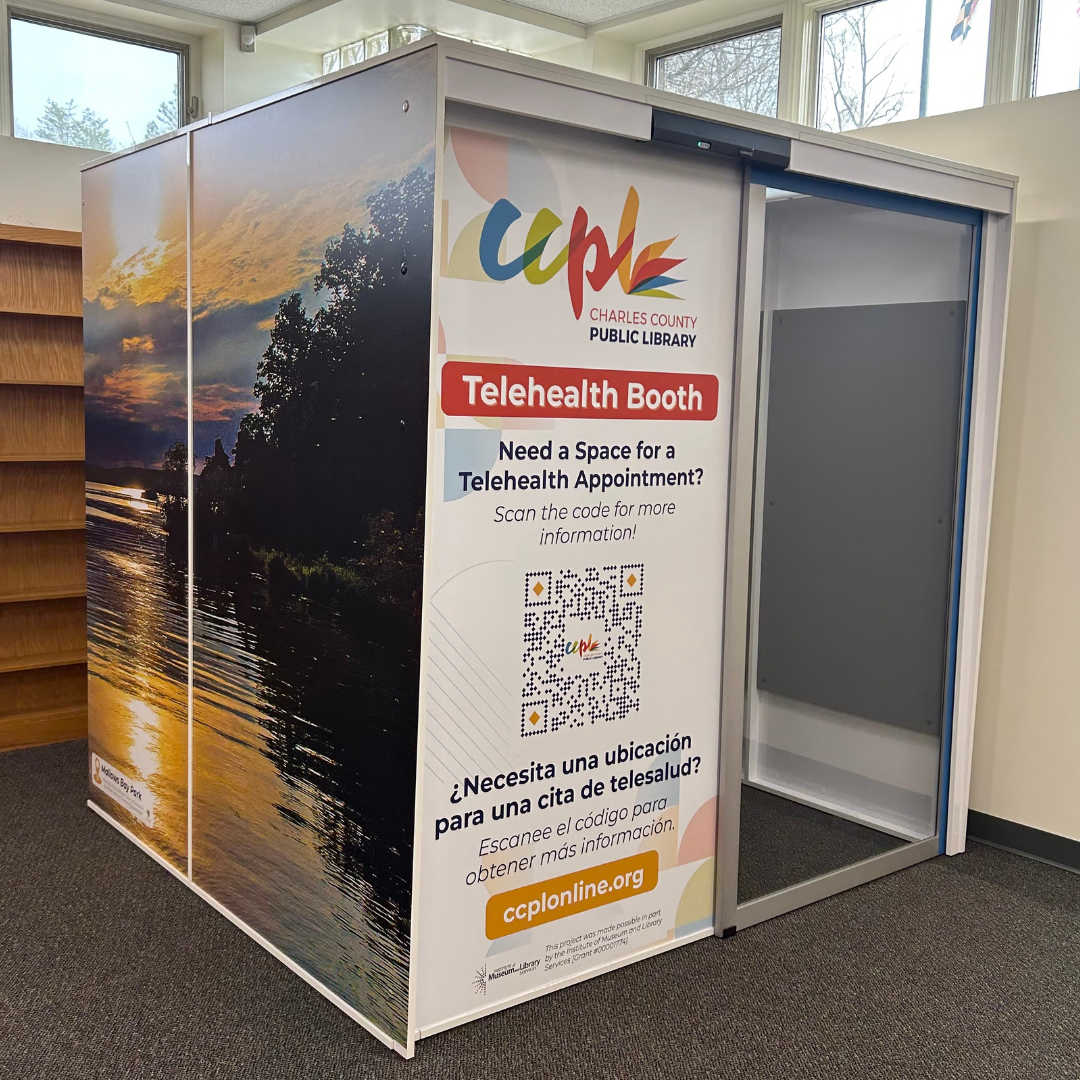
CCPL Telehealth Booths are available at the P.D. Brown Memorial Branch and Potomac Branch, offering a quiet, private, and wheelchair-accessible space for online or phone visits with medical providers. Each booth includes a computer for telehealth appointments. There is no fee to use a telehealth booth.
When not in use for telehealth, booths may be used for studying, reading, small group discussions, tutoring, and similar activities. Non-telehealth reservations may be rescheduled to accommodate telehealth appointments. Please note that booths are sound-dampening but not soundproof.
Reservation Guidelines
- Booths may be reserved online up to 7 days in advance
- Reservations are limited to a maximum of 2 hours per day
- The library may limit usage based on demand
- Reservations may not be extended by booking under multiple names
- The person who makes the reservation must be present at check-in
- Booths are only available during library hours
- Users must vacate the booth at least 30 minutes before closing
- Booths are not accessible before the scheduled start time or after the scheduled end time
Booth Features
- Wheelchair-accessible design
- Capacity: up to 3 people
- Laptop computer (secured)
- Table and seating
- Dry-erase board with markers
CCPL Telehealth Booth Use Acknowledgement
By using this telehealth booth, users acknowledge that:
- Telehealth appointments may be conducted by videoconferencing, video images, still (high-quality photo) images, or by telephone conference, and this appointment will not be the same as a direct patient/health care provider visit due to the fact that you will not be in the same room as your health care provider.
- There are potential risks to this technology, including interruptions, unauthorized access, and technical difficulties. You or your healthcare provider can discontinue the telehealth appointment at any time if you feel the videoconferencing connection is not adequate for the situation.
- Charles County Public Library does not clean the telehealth booths between uses. Please use health and safety precautions. Use of the telehealth booths is at the individual’s sole discretion, and the individual agrees to hold the library harmless for all matters related to their use.
- Charles County Public Library is simply providing a location for a telehealth appointment. It is not responsible for any non-HIPAA-compliant software used by your telehealth specialist during your appointment.
- Use of the booth is at the discretion of the library in which it resides; the privilege to use it can be withdrawn at any time, with or without reason.
- While this booth has been designed for enhanced sound and visual privacy, it is located in a public space, and complete privacy, especially when entering or exiting, cannot be guaranteed.
The user understands the above acknowledgement and waives any claim for damages against the Library, its staff, and/or related telehealth associates for any reason before, during, or after the use of the telehealth booth.
Language borrowed from the American Academy of Pediatrics
Making a CCPL Telehealth Booth Reservation
Note: Once in the reservation system, please use the Cancel button to return at any point. Your browser’s back button will not work.
-
- Click the button below to view availability.
- The first time you visit the room reservation page, you’ll be asked to choose your booking type. Telehealth Booth users should select “Telehealth Booth.” If you are not prompted to select your booking type, use the Booking Type drop-down menu on the left to select Telehealth Booth.
- On the left side of the page, check the box or boxes of the branches you would like to view for availability (at this time, telehealth booths are only available at P.D. Brown and Potomac).
- On the calendar, select the date that you wish to make the reservation.
- A list of all available rooms will be shown. Times in black are reserved and unavailable. Available times will be green.
- When you click on the booth you’d like to reserve, a scroll bar appears below the green boxes, allowing you to scroll to the right to see later reservation times.
- Click the box for the start time you wish to reserve the booth, then click the box for the end time. The software will automatically fill in the slots between the selected times.
- If you would like to request more than one day/time, click “Add to basket,” then click the next date on the calendar to add your next reservation. If you are ready to make the reservation, click “Reserve Now.”
- If you would like to autofill your contact information, enter your library card number and PIN/password (usually the last four digits of your telephone number), then click “Find Details.” Otherwise, input your information. Items with a red asterisk are required.
- A review of your request will appear. Scan the information to be sure it is correct. If it is correct, click on the “Reserve” button. If it is incorrect, click the “Cancel” button to begin again.
- You will receive an email stating that the booth is reserved. The email will include a link and instructions for cancelling the reservation. Customers who book but do not use the telehealth booths are requested to give notice as soon as possible, at least 2 hours before the reservation starts. Individuals or groups who repeatedly fail to do so will have their privileges revoked.

This project was made possible in part by the Institute of Museum and Library Services [Grant #00001774].