
We’ve Upgraded Our Statewide Interlibrary Loan Service!
Beginning August 31, our statewide interlibrary loan service (Marina) is moving to a new and improved platform, SHAREit! Look for the updated link here to search for items and place holds. Until September 1, availability of items in Marina may be limited.
What is Marina SHAREit?
Marina is a free, statewide interlibrary loan system for requesting materials your library does not own from other public library systems in Maryland. You can request materials through Marina and have these materials delivered to the Charles County Public Library branch of your choice.
- You will need your library card number to access Marina.
- You are limited to 50 holds at any time on your library account. This includes local and Marina requests.
- Some items may not be available for loan from libraries outside Southern Maryland. These items may include media like CDs and DVDs, entire magazine issues, reference materials, and bestsellers.
- Items received through Marina may be renewed one time if permitted by the owning library.
- If no results are found from your search of Marina, contact staff at your branch with as much information about the title as possible. We will request the materials from a library outside Maryland if possible.
- Click the Access Marina Here button above.
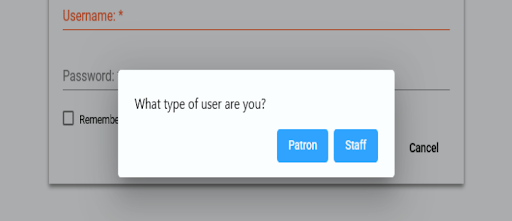
- Click the Patron button when prompted about your user type.
-
Enter your library card number when prompted.
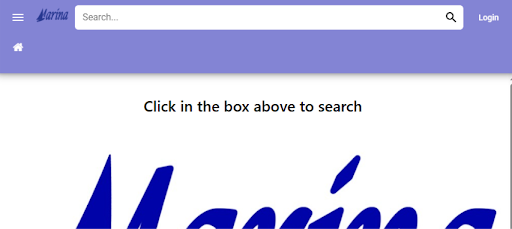
Tip: You can also search first and log in later — SHAREit will save your search and take you right back to your results after you sign in. - Enter a title, author, or keyword into the search box.
- By default, your search will look across all participating library systems, so you’ll see items available beyond Southern Maryland libraries (SMRL).
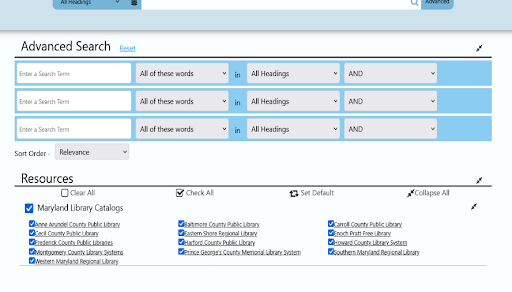
- Use the Advanced search option to narrow your search by specific fields, such as author or title.
- Review your results. You can narrow the list using the filters on the left side of the screen.
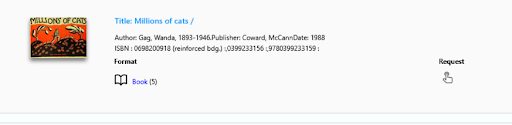
- Once you find the item you want, click the request icon next to the item on the results screen, or click Request This Item on the item’s full details page.
- If you’re not already logged in, you’ll be prompted to do so before you can place your request.
- Confirm your request. You’ll receive confirmation that your request has been submitted.
Tip: If an item has multiple formats (like print, eBook, or audiobook), make sure to select the format you want before placing your request.
- Log in and go to Your Account.
- Select Items from Other Libraries to see a list of your current and past SHAREit requests.
- From here, you can see the status of each request — for example, whether it’s still being located on its way to your library, or ready for pickup.
- Go to Your Account and locate the request you’d like to update.